
Uptime monitoring and status pages, self-hosted.
Monitor websites, APIs and servers, alert your team in seconds and keep your users informed – on your own server.
curl -fsSL https://download.corestate.app/install.sh | sudo bash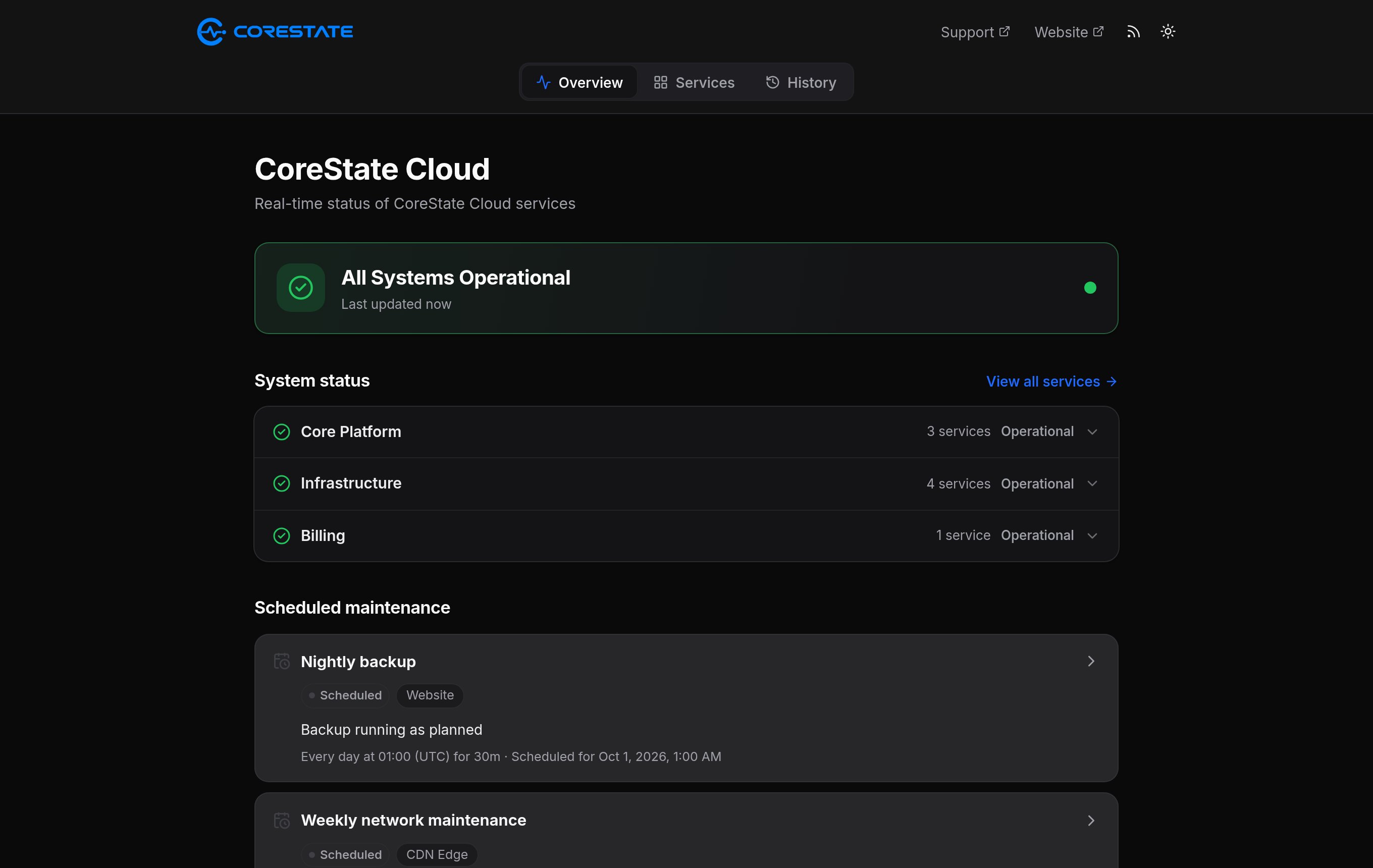
Checks for every part of your stack
26
monitor types
14
alert channels
90days
of uptime history
10s
shortest check interval
Features
Everything for the moment something breaks.
Monitoring, alerts, incidents and maintenance in one place.
Status pages your users trust
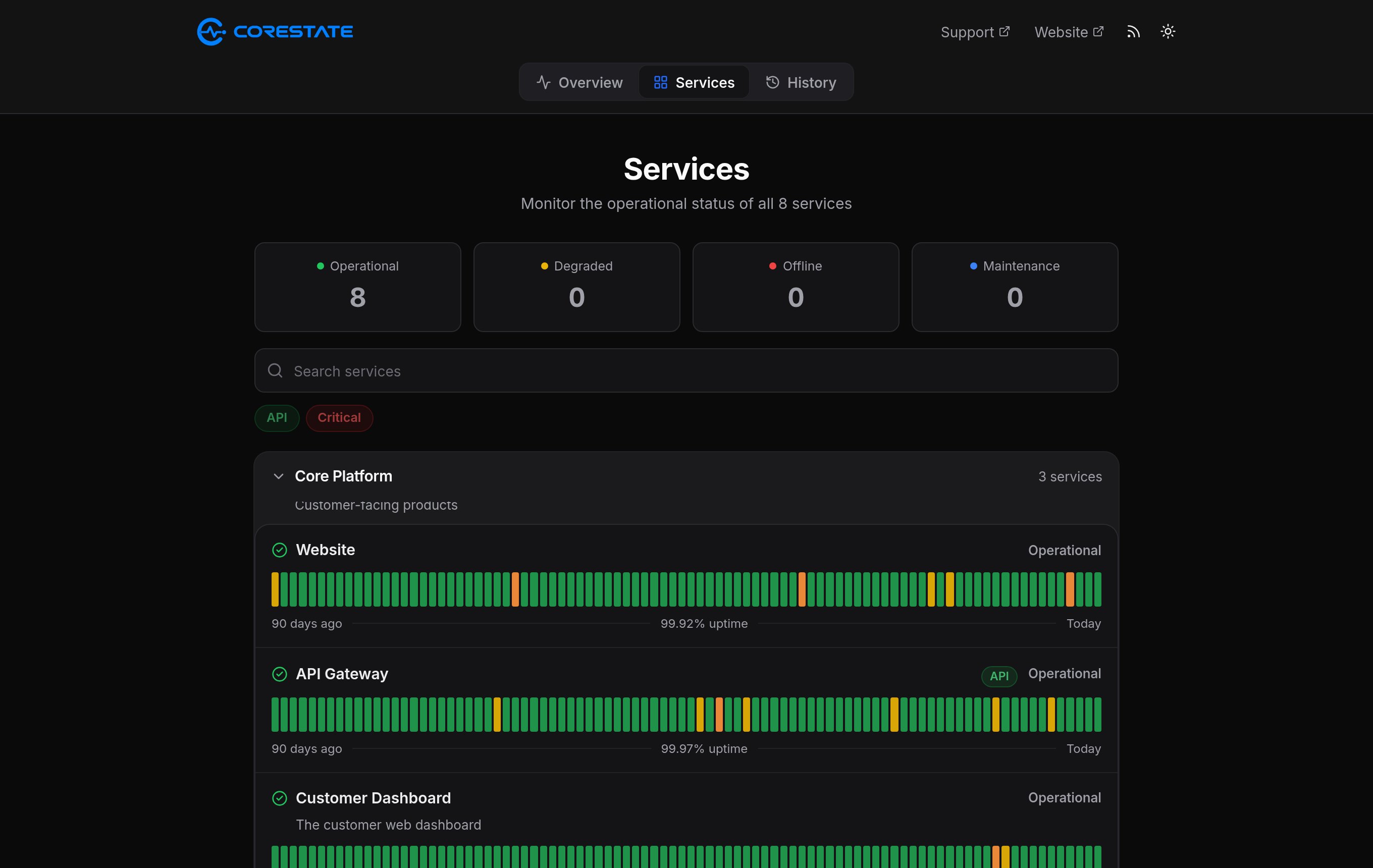
90 days of history per service, with incidents and maintenance.
All systems operational
Updated a few seconds ago
- Website100% uptime
- API99.97% uptime
- Payments99.91% uptime
Alerts where your team is
14 channels – Slack, Discord, PagerDuty, e-mail and more.

Incidents in real time
Opened automatically when a monitor goes down.
Planned maintenance
One-off or recurring, announced in advance.
Database upgrade
ScheduledSun, 02:00 – 03:00 UTC · Database, API
Nightly backup
RecurringEvery day at 01:00 for 30 min
Monitors pause alerts during the window.
Live, without reloading
Pages update the second something changes.
Multiple status pages
One per product, team or customer.
Custom domains
Status pages on your own domains.
E-mail subscriptions
Visitors get every update by e-mail.
Backups
Daily, downloadable, one-click restore.
Teams and roles
Owner, admin, editor and viewer.
Two-factor sign-in
TOTP with any authenticator app.
Embeds and badges
Live widgets and SVG badges.
Languages and themes
English or German, light or dark.
Incidents
Keep users informed while you fix it.
What your visitors see, from the first failed check to the fix.
All systems operational
Updated at 13:58
- WebsiteOperational
- APIOperational
- PaymentsOperational
- DashboardOperational
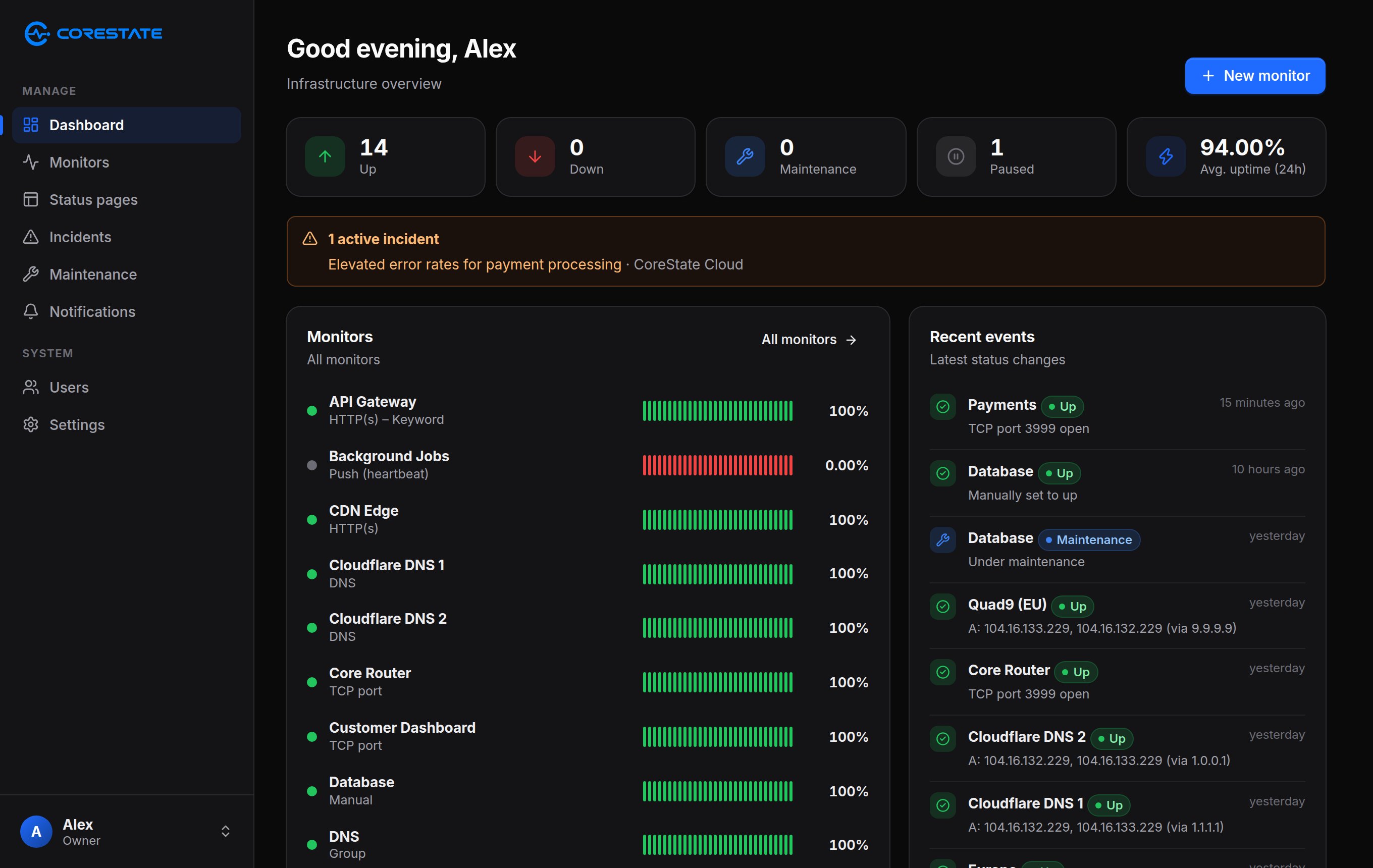
Dashboard
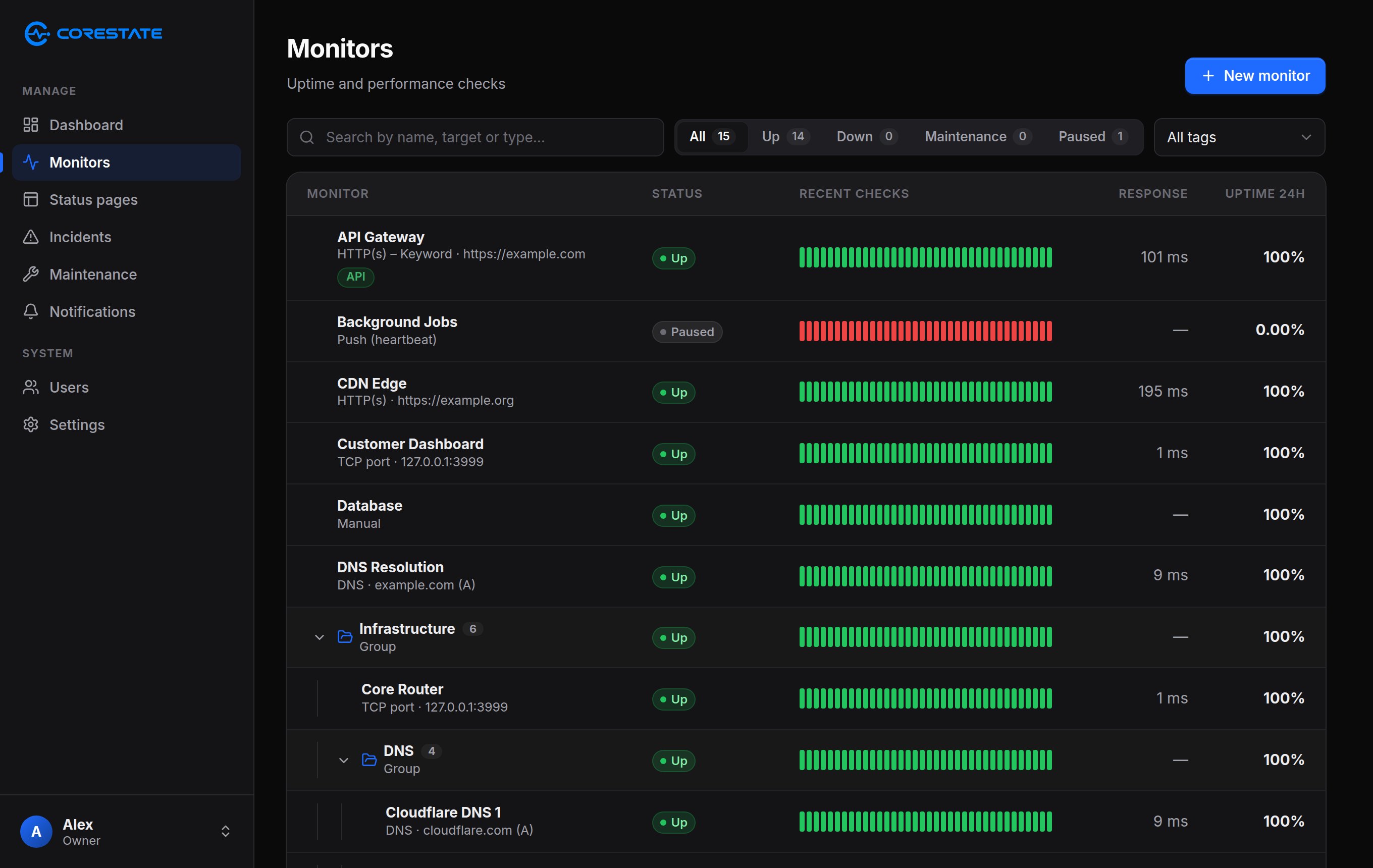
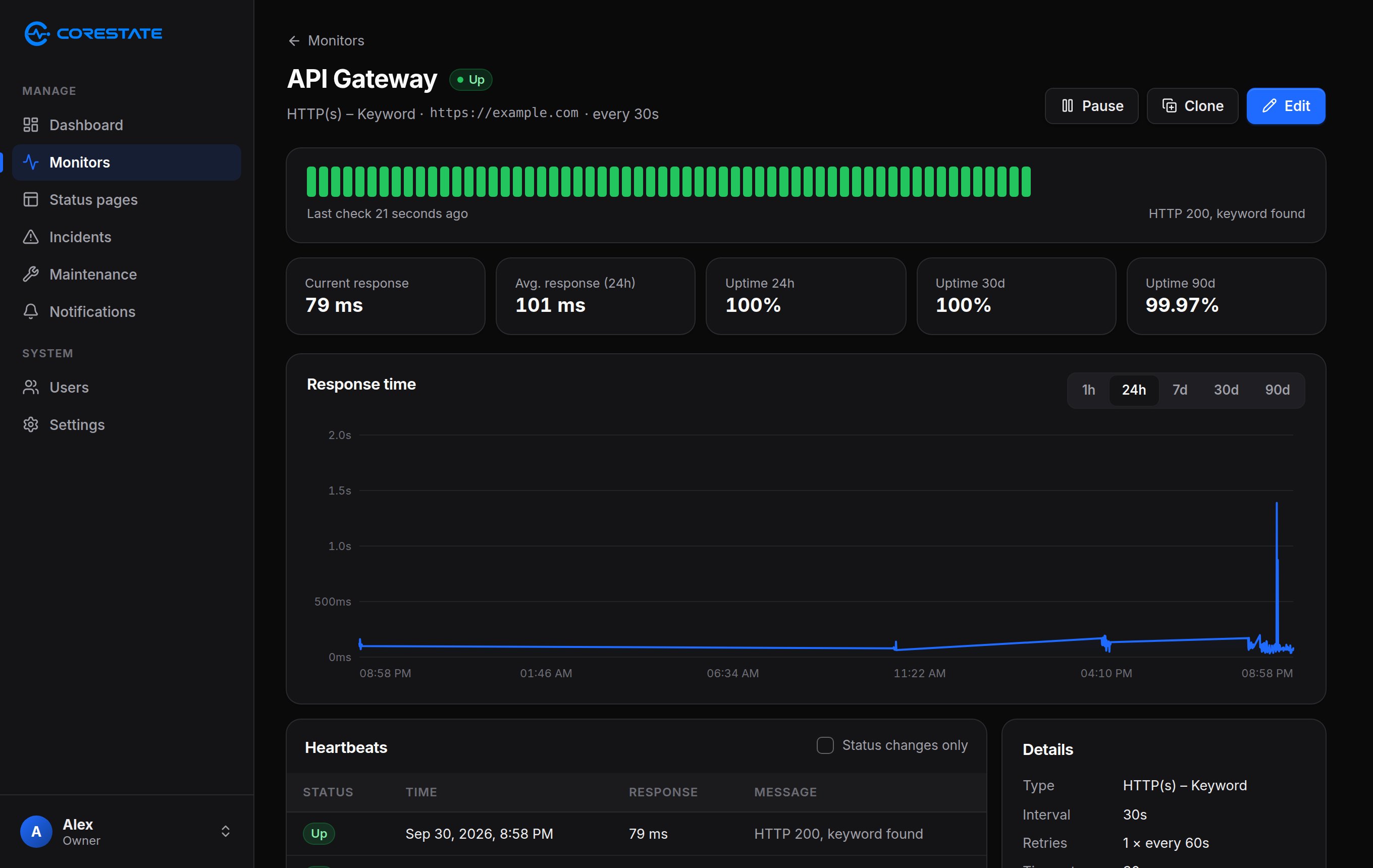
Built for the bad days, calm on the good ones.
Monitors, status pages, incidents and alerts in one dashboard.
Installation
Running in two minutes.
One command on a fresh server – or run the Docker image yourself.
- 1
Get a server
Ubuntu 22.04+ or Debian 12+ with 1 vCPU and 1 GB of RAM. amd64 or arm64.
- 2
Run the installer
It installs Docker if needed, asks for a port and starts CoreState.
- 3
Create your account
Open the address it prints and create your admin account.
# Install or update CoreState (asks for the port)curl -fsSL https://download.corestate.app/install.sh | sudo bash# …or set the port right awaycurl -fsSL https://download.corestate.app/install.sh \ | sudo bash -s -- --port 8080# Manage the installationcorestate statuscorestate port 8443corestate updateUpdates in one click. Settings → About shows new releases and installs them.
Ubuntu, Debian or any Docker host
Know before your users do.
Monitoring and a status page on your own server, in minutes.
curl -fsSL https://download.corestate.app/install.sh | sudo bash